 AgentRoam
Guide
How to install a travel eSIM.
Installing a travel eSIM takes about two minutes and you only do it once. Do it over Wi-Fi before you fly, then switch on data roaming for the eSIM when you land. Here is how on the most common phones.
Install on iPhone
1
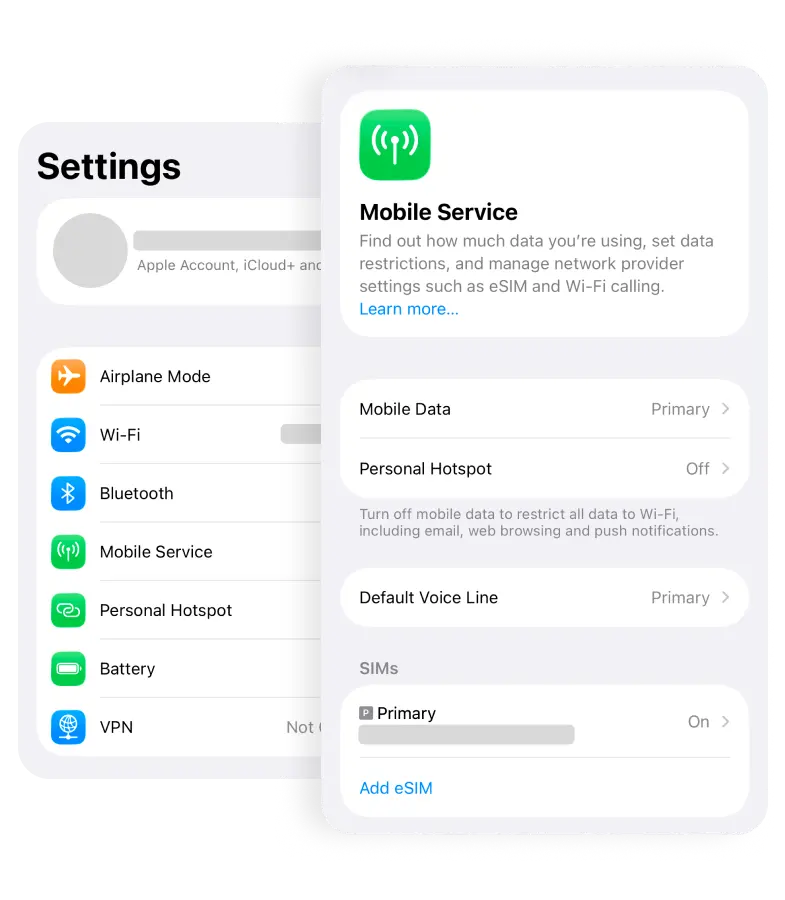
Settings → Mobile Data → Add eSIM
Open Settings, tap Mobile Data (or Cellular), then "Add eSIM".
2
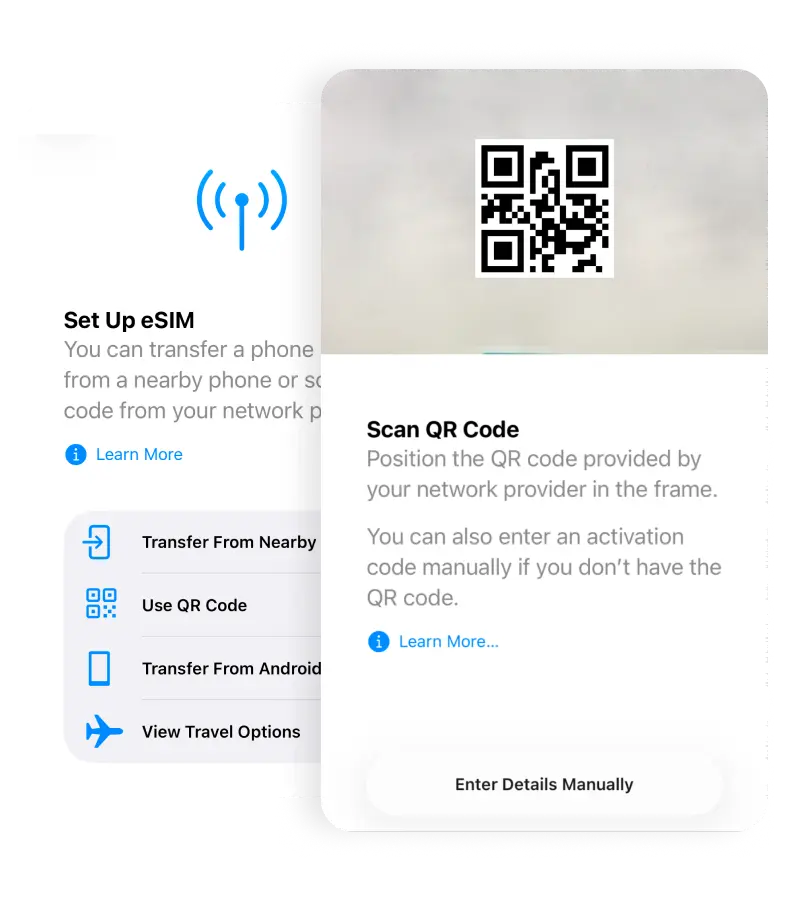
Scan the QR code
Scan the QR from your AgentRoam order email. Setting up on the same phone? Tap the code to add it directly — no second device needed.
3
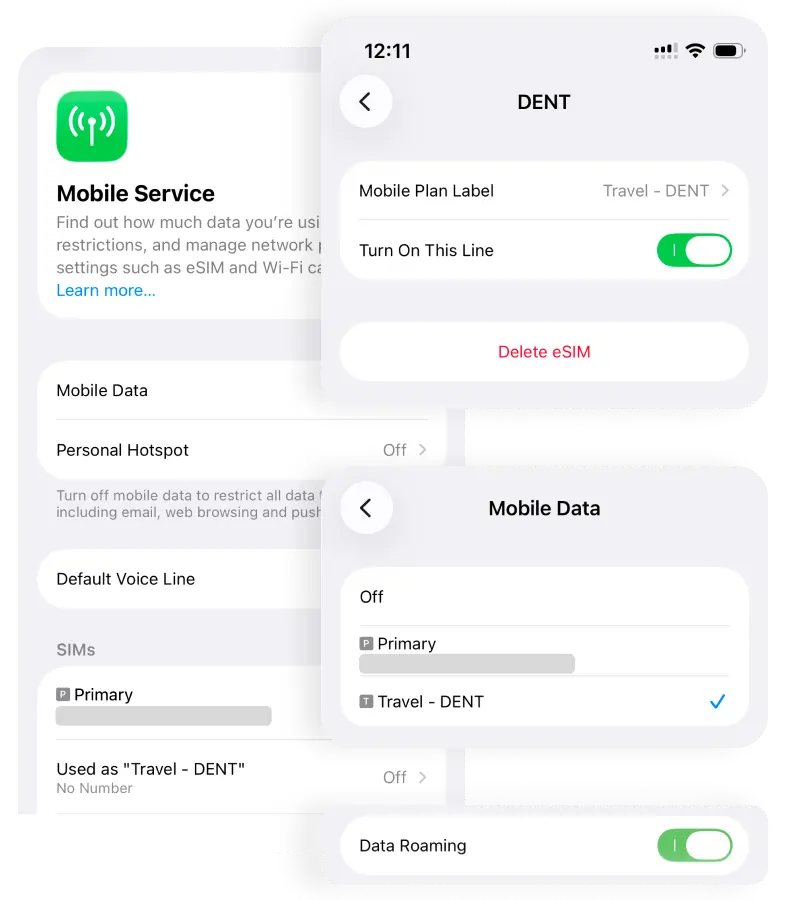
Turn on data roaming
Tap Allow, label the line "Travel", and enable Data Roaming for the new eSIM. It only connects once you land.
📱 Install on Samsung Galaxy
- Settings → Connections → SIM manager → Add eSIM.
- Tap "Scan QR code from service provider" and scan the QR from your order email.
- Turn the eSIM on, then enable Data roaming for that line.
📱 Install on Google Pixel
- Settings → Network & internet → SIMs → "Download a SIM instead?".
- Tap Next and scan the QR code from your order email.
- Enable the eSIM and turn on Roaming for the line.
Your device must be eSIM-compatible and carrier-unlocked. Steps vary slightly by model and OS version.
Questions, answered
How do I know if my phone supports eSIM?
If Settings shows an "Add eSIM" or "Add Mobile Plan" option and your phone is carrier-unlocked, it supports eSIM. In practice that is most phones released since 2018 — iPhone XS and newer, Samsung Galaxy S20 and newer, and Google Pixel 3 and newer.
When does my eSIM plan start?
Validity starts when the eSIM first connects to a network at your destination — not when you install it. You can install days ahead of your trip without losing any time.
Can I install my eSIM before I land?
Yes, and it is the recommended way. Install it at home over Wi-Fi so everything is ready. It will not start counting until you connect abroad — just switch on data roaming for the eSIM line when you arrive.
Can I use WhatsApp with a travel eSIM?
Yes. Travel eSIMs are data-only, and your main SIM keeps your phone number active. WhatsApp, iMessage and Telegram keep working with your original number while the eSIM carries the data.